
GUIDE UPDATED TO 29 October / 2025!
Joining a German public insurance scheme without an employment contract may seem complicated at first. Many people encounter the same problem: companies ask you to be already insured in order to hire you, but the Krankenkassen usually ask for an employment contract in order to register you.
To break this cycle, in this article we show you how to step-by-step how to join a public insurance scheme in Germany even without an employment contract.
In addition, it is important to know that Feather works together with Barmer as a digital platform. Although the steps are carried out from the Feather website, all information goes directly into the official BARMER system.. Feather simply makes it easier to manage and operate your account.
These steps were created together with a Barmer specialist, These are especially designed for those who have just arrived in Germany without a job and need the insurance in order to be able to start working (or even look for a job).
It is very easy to join a German public insurance. We will explain the procedureThe best way to sign up for Barmer is to take one of the best public insurances in Germany.
TIP: It is not necessary to have anmeldung or tax ID (you can generate the insurance to save time while you are doing the other formalities).
If you haven't yet read THIS ARTICLE ("Guide: Compulsory Health Insurance in Germany") about the German public health insurance, we recommend you to read it before filling in these steps because it contains important information.
Once you have completed everything, you will receive an email from us with the insurance discharge together with its social security number so that they can present it to any company.
In addition, at the end of the article, there are questions and answers that will surely arise for you..
Important: If you have already filled in the form and signed it, just wait until you receive the email from Barmer. DO NOT fill it in twice with the same data because this will cause the first one to be cancelled.
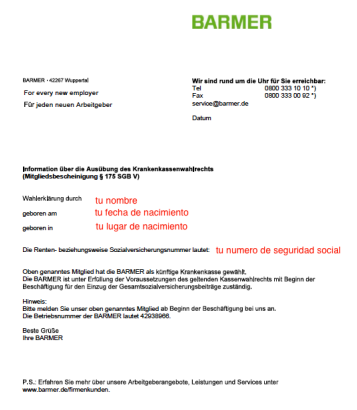
This is the registration form that you will receive by email (in pdf format) after following all the steps explained below.
This pdf is the one you should present to the company where you are going to work or where you want to apply.
Remember that the social security number in Germany is a unique and non-transferable identifier that you can use to apply for any job.
Step by Step:
- First step is to enter THIS LINK <- (click)
It will take you to a platform where Barmer's registration is done. The name of the platform is Feather. There you will have a form that you have to fill in with your data.
Each step is explained with pictures so that you can join Barmer easily and online without having to go to the branch in person.
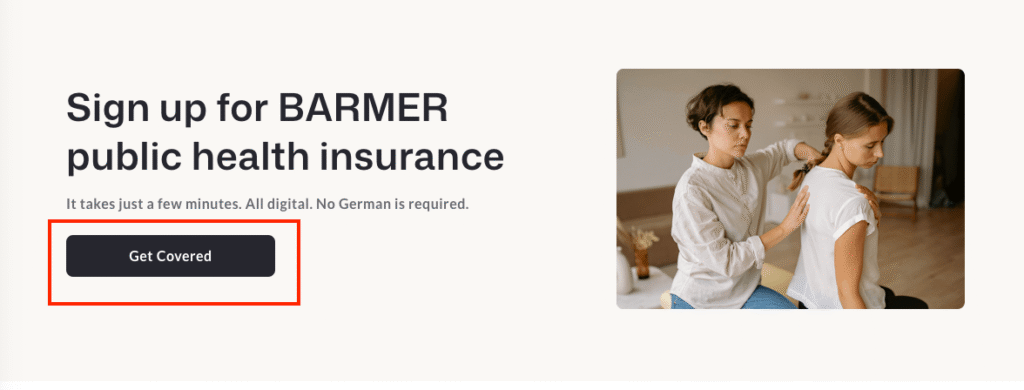
- Clicking on the link or button "Click to join Barmer" will give you the first step: click on "Get Covered".
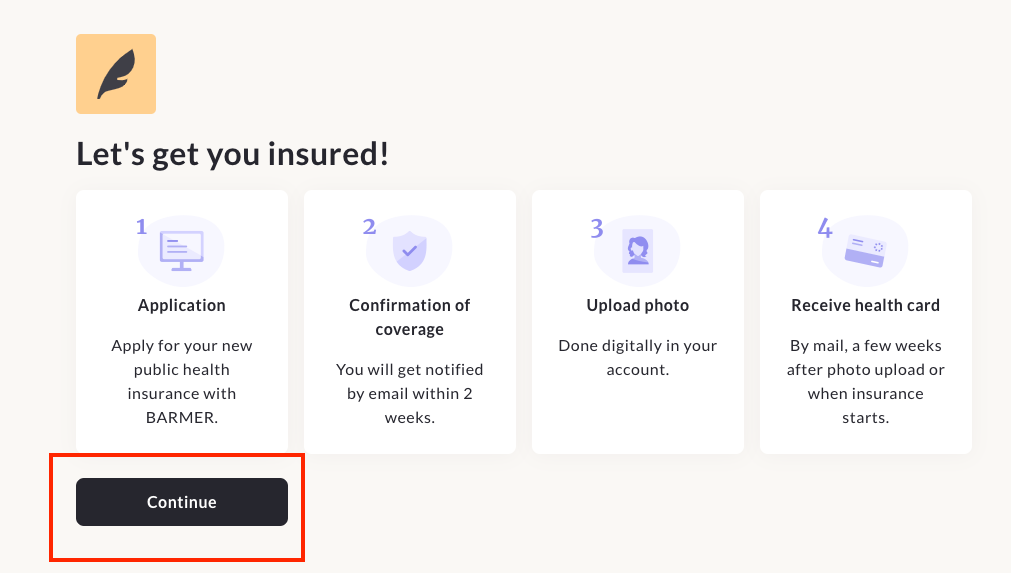
- Click "continue" to start filling in the form with your details.
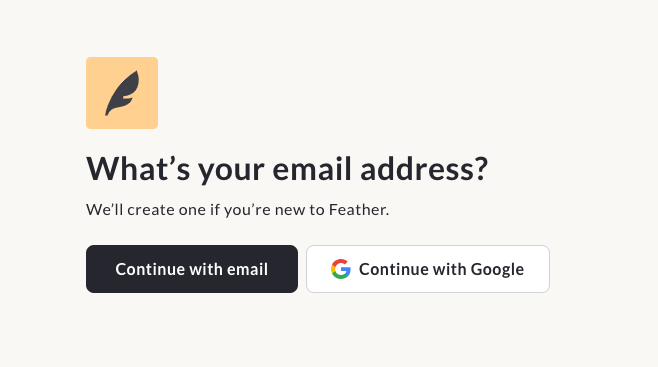
- Here you can fill in your email address:
- Continue with email: to manually enter your email address.
- Coninue with Google: to directly connect the email address.
- Either option is valid, just make sure that if you do it manually, you fill it in correctly, otherwise you will not receive the registration with your social security number).
In addition, you may see a message saying that a code has been sent to your email address for confirmation. You must copy the code and paste it where it says.
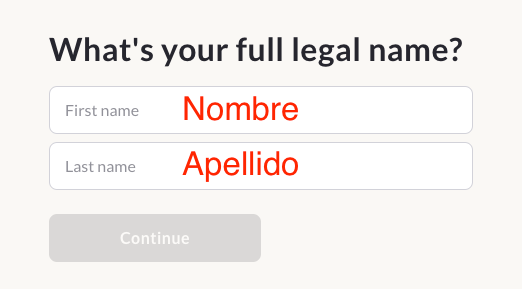
- Here you can fill in with name/s and surname/s. (It is IMPORTANT that you complete exactly as you have in your passport.)
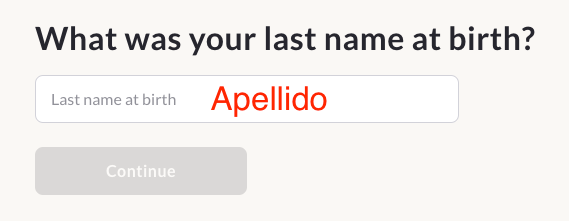
- Here they complete with their surname again.
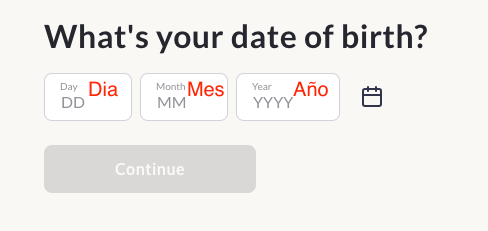
- In this step you fill in your date of birth (Day / Month / Year).
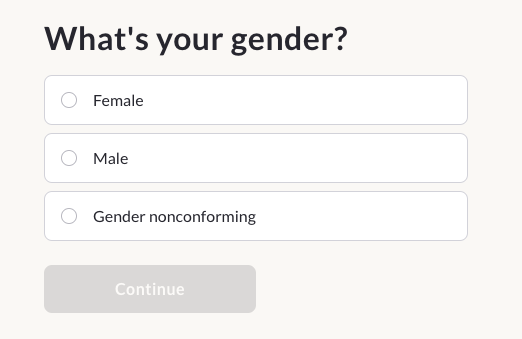
- In this step they put their gender.
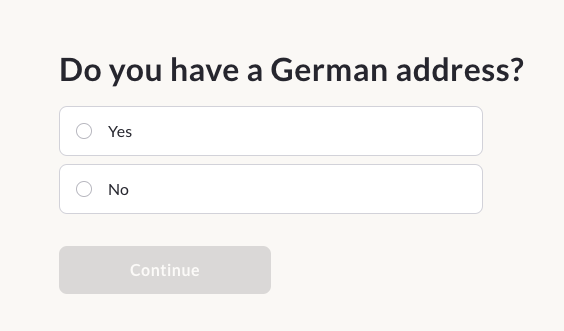
- Do you have an address in Germany?
They have to complete with "YES".
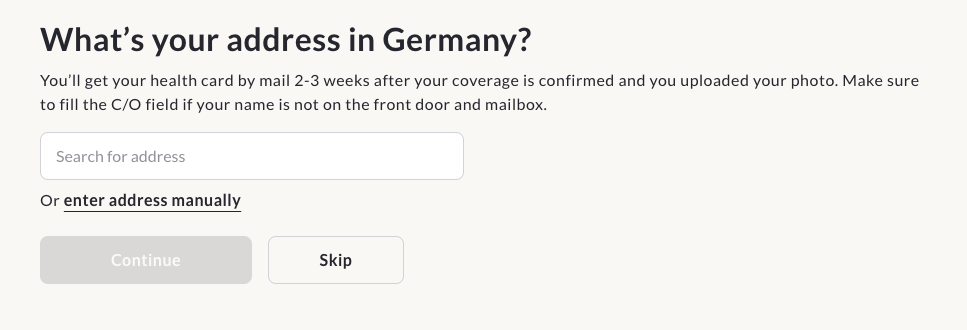
- What is your address in Germany?
In this step you enter your address in Germany. You have the option to enter it manually in case the search engine does not find it.
It is important that you put in the C/O option the name that is in your mailbox (either your name or the name of the person in the mailbox).
THE ADDRESS DOES NOT NECESSARILY NEED TO BE THE SAME AS THE ADDRESS WHERE THEY REGISTERED (anmeldung)
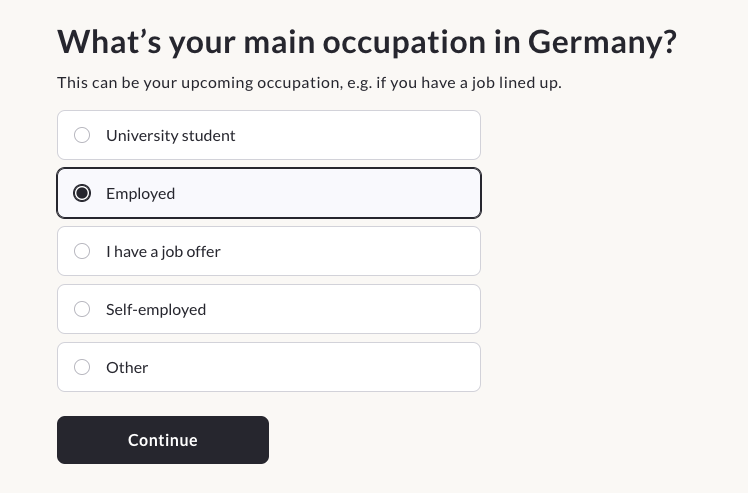
- What is your occupation in Germany?
Here it is important to always select "Employed".- If you don't have a job yet or you are still searching, also select "employed" because otherwise the form will NOT let you continue.
- Also, whatever information you put in now, that is then updated when you send in your employment contract once you have it.
It is important that you fill in exactly as below so that you can receive your registration and social security number.
- If you don't have a job yet or you are still searching, also select "employed" because otherwise the form will NOT let you continue.
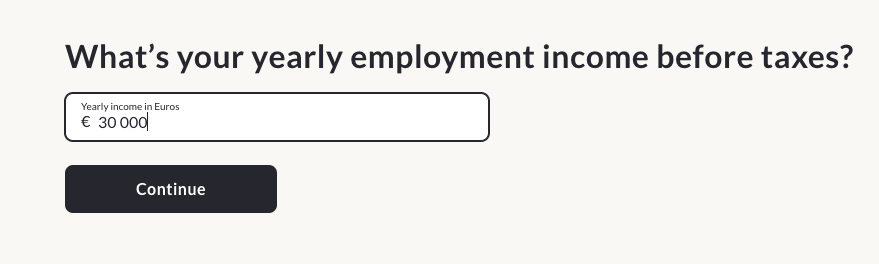
- What is your annual salary before taxes?
- If you are already working or have a job offer, put what you would earn in a year. It does not matter if you are only going to work for 3 or 6 months.) It should be the total over 12 months. This does not mean that you will pay more (it is for reference only).
- If you do not yet have a job offer then fill in with €30,000 which is the average basic salary for a full-time job multiplied by 12 months (this is a fictitious number which then changes when you submit an employment contract).
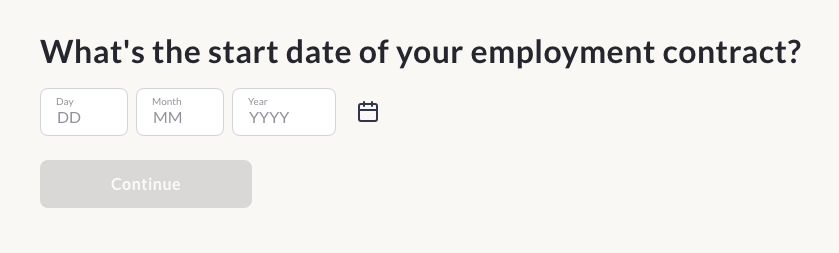
- What is the start date on your employment contract?
- If you have an employment contract, put the date on the contract.
- If you have a job offer, give an approximate date when you will start work.
- If you are still searching, please put an approximate date in the future (this is also updated when you send the employment contract, so it can be approximate).
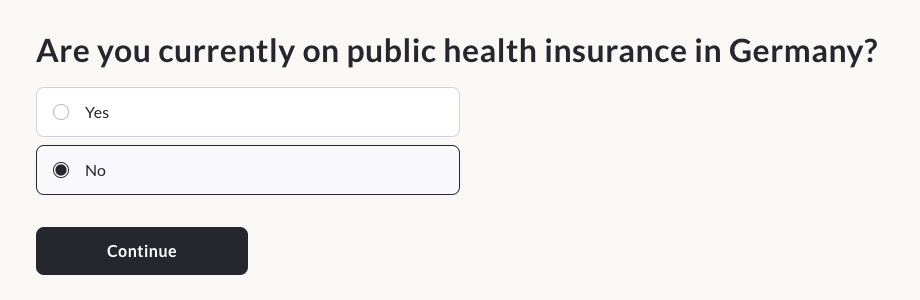
- Do you currently have public insurance in Germany?
Complete with "NO".
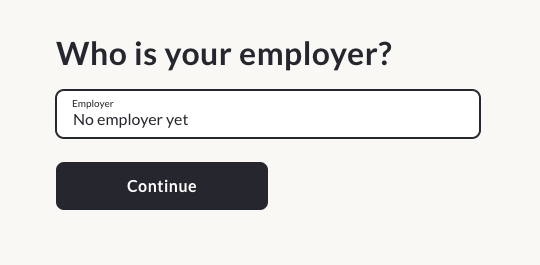
- Who is your employer?
- If they have an employment contract or a job offer, they put the name of the company (the name on their employment contract).
- If you are still searching, complete with "No employer Yet" (it is important that you complete it this way so Barmer knows that you do not have a contract yet but that you are still searching).
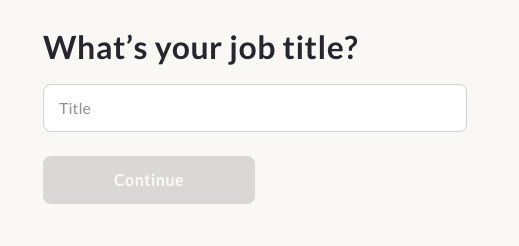
- What is your job title?
- Fill in with your job title and if you don't know it, fill in with «NO» (this is then automatically changed when you send the employment contract).
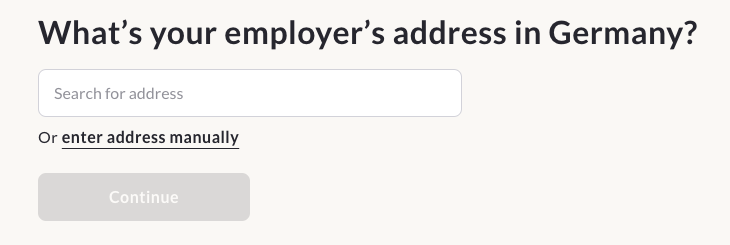
- What is the address of the company?
- If you already have a contract or have a job offer, please enter the address given in the contract.
- If you still don't have a job or don't know the address, please enter a fictitious address:
- Select "enter address manually".
- Street: No street
- House Number: 1234
- Additional information: NO
- Post Code: 1234
- City: NO
- Select "enter address manually".
- . When they send the contract, this is then updated.
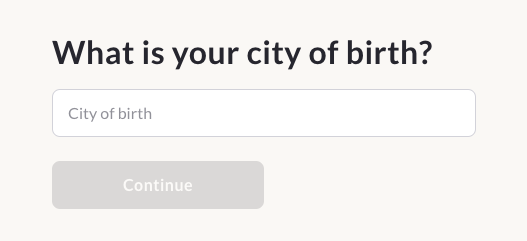
- What was your city of birth?
Enter your city of birth
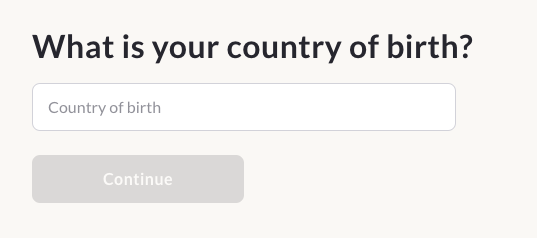
- What is your country of birth?
Here they complete with their country of birth.
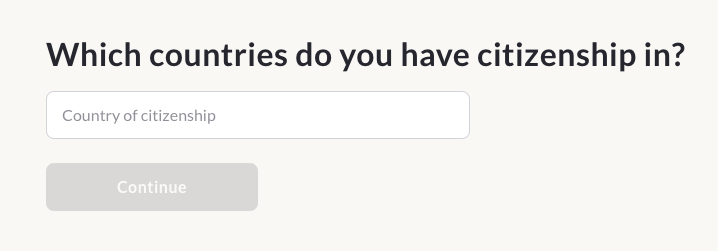
- In which country/countries do you have citizenship?
Please fill in your citizenship here. (you can fill in more than 1 citizenship)
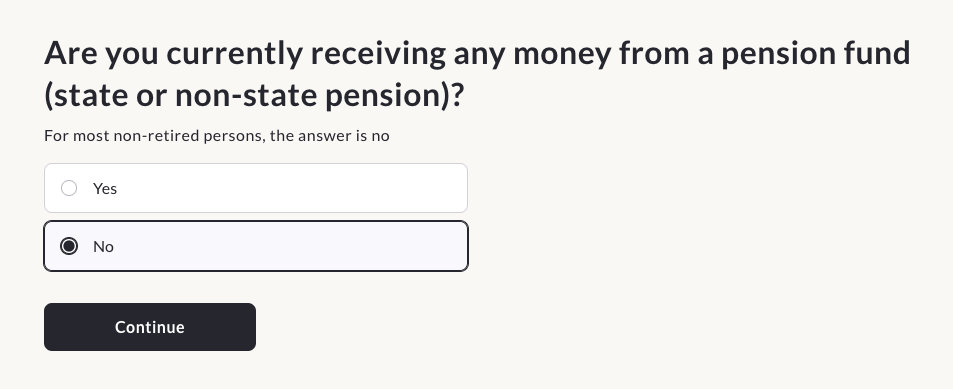
- Do you currently receive any money from a pension fund (state or non-state pension)?
Select "NO".
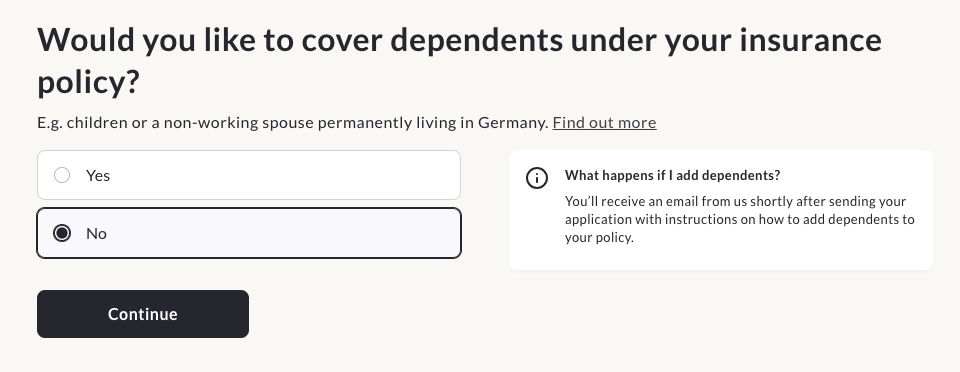
- Do you want your dependants to be covered by the insurance policy? (This step is to see if you have dependent children.)
Select "NO".
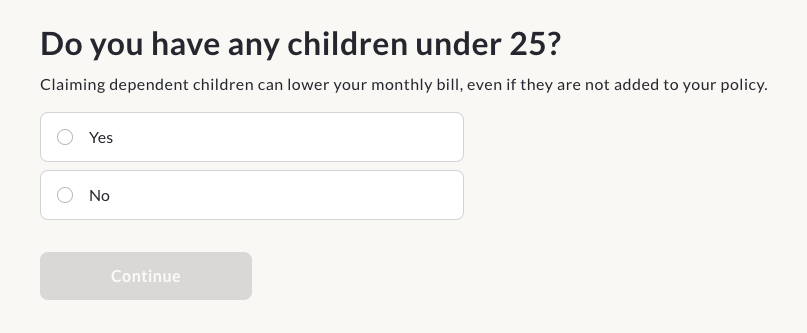
- Do you have dependent children under 25?
If you do not have dependent children, select "NO".
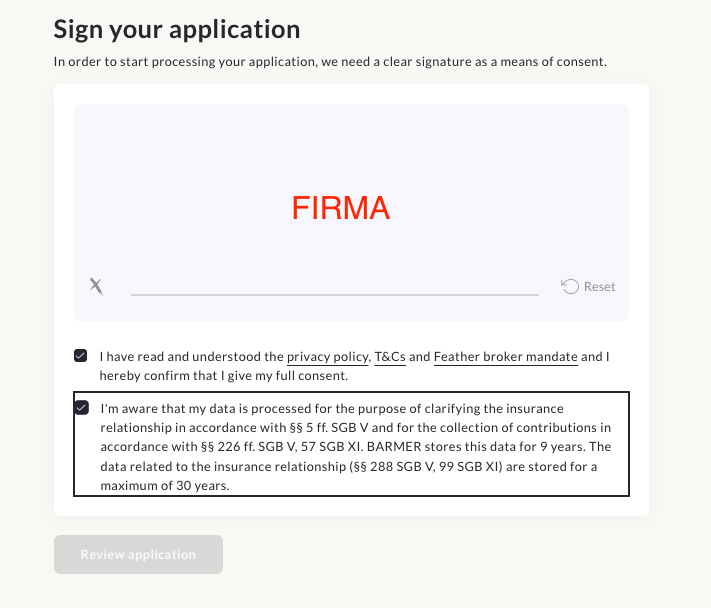
- Last step:
- Sign
- Select terms and conditions (selected with black)
- Select «Review application».»
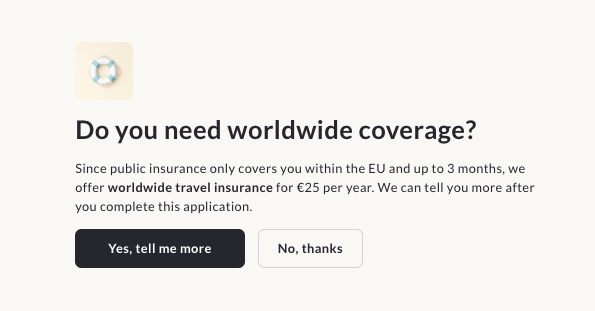
- Do you need other coverage?
- Here they basically offer you other coverage. But you can select «No, Thanks» if you are not interested.
- It gives you the option to check your details in case you have entered something incorrect. At the end you have to click on the «Submit application» button to finish.
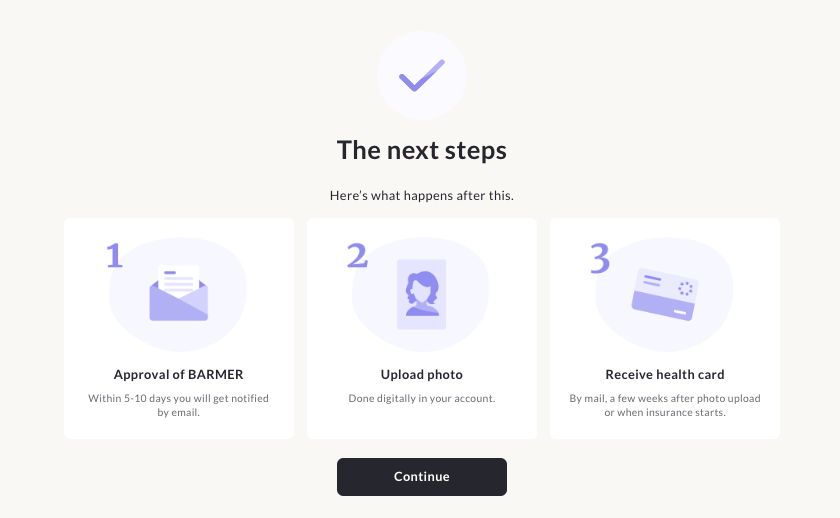
- Next steps:
- You will get an email from Feather that says "Paperwork for your employer for public health insurance" and at the bottom it says "Send documents to HR". If you don't have a job yet or don't have this information, there is no need to reply to this email. It will have no effect on your insurance discharge.
- You will receive the Barmer registration form and your social security number by email (the pdf that you receive is the one that you have to present to your company).
- Once you have sent your employment contract and photo, you will receive your insurance card at your home address.
- Click on «Continue».»
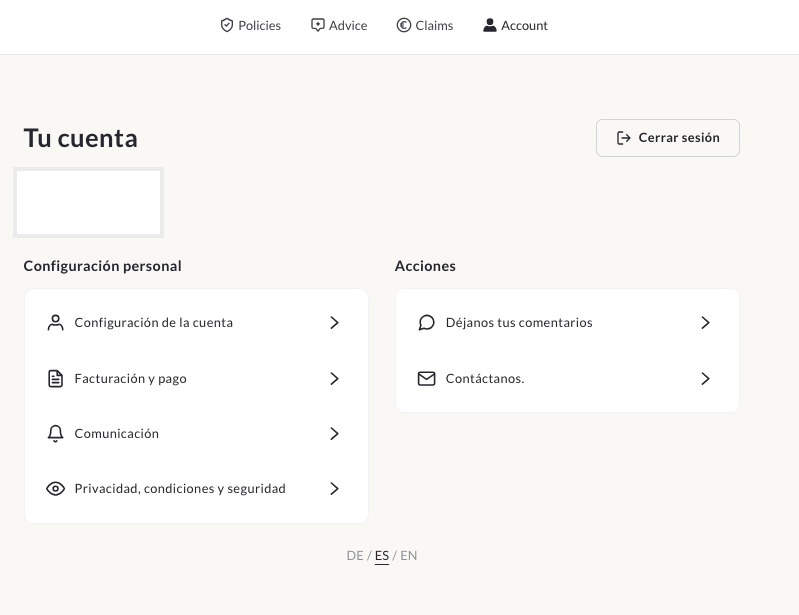
- Once you have completed all the steps, it will give you access to your Feather account so you can manage your insurance. (At the bottom, you can select English)
- Please note that you should contact Barmer directly at service@barmer.de for all matters related to coverage after joining, as it will be quicker for you. Otherwise, you can also write to us by Whatsapp to the number at the end of this article.
Questions and Answers:
How long will it take for me to receive my social security number?
The national insurance number with the insurance registration is sent to you. between 2 to 7 working days to your email address (usually takes no more than 3 days but can take up to 7).
Do I need an employment contract to join a German public insurance scheme?
No, an employment contract is not necessary to initiate insurance registration.
By following the above steps, they can easily join without a contract.
Do I have to pay public insurance if I don't have a job yet?
No, they will not pay anything until they have an employment contract.
The payment is debited directly from your first salary together with taxes. Aca you can read more about it.
REMEMBER: YOU PAY NOTHING UNTIL YOU SEND A CONTRACT (but keep in mind that you will not be able to use the insurance until you send the contract).
Where can I find a doctor who treats with Barmer?
Normally with ALL doctors who cover public insurance (statuary), they will be able to use Barmer.
You can find them:
- On Barmer's website. CLICK HERE
- In the DOCTOLIB application. CLICK HERE
How to use the German public insurance?
In order to use the German public insurance you must first send the employment contract.
Once they have sent the employment contract, it means that Barmer has already activated the insurance and they can use it without any problems.
After you send the contract, in the following days you will receive a letter to your home address with a QR code to put your photo on the card (tip: put a selfie photo).
After uploading the photo, the insurance card should be sent to your home address within 10 working days.
With that card, they go directly to any doctor/hospital that provides public insurance (the vast majority of them do) and they are treated.
If you need to go to the doctor but have not yet received your card, then you should follow these steps:
- They look for a doctor where they want to be seen and ask for the FAX number.
- Then call 08003330060 (Barmer's customer service number) and give them your details along with the doctor's fax number. They will send an authorisation to the doctor on the spot so that you can be seen.
What do I do with public insurance if I change jobs?
If you change jobs, you MUST NOTIFY INSURANCE. Therefore contact Barmer (by sending an email to service@barmer.de) with your details and the new employment contract.
What should I do with my public insurance if I stop working?
If you stop working, you have 1 month to submit a new contract and Barmer covers you without the need to pay extra.
If you are going to be out of work for more than 1 month, then you should write to Barmer (service@barmer.de) or call 08003330060 to report your situation.
Please note that if you have a work&holiday visa, then you can "pause" your insurance until you get a new job without having to pay for it yourself, but you must send your visa together with your travel insurance to the same email address.
How do I cancel my German public insurance?
To cancel the German public insurance you must send to Barmer (service@barmer.de):
- Your full details
- Departure ticket from Germany (plane or train)
- Abmeldung (deregistration of residence in Germany)
Thank you very much for reading us!
I hope you found them useful and that they will make your stay in Germany easier.
Other articles that may be of interest to you:
- Complete guide to finding accommodation in Germany -> Know where to look, read recommendations and inform yourself about possible scams.
- 10 essential applications for living in Germany -> Download the apps you need to make your life in Germany easier!